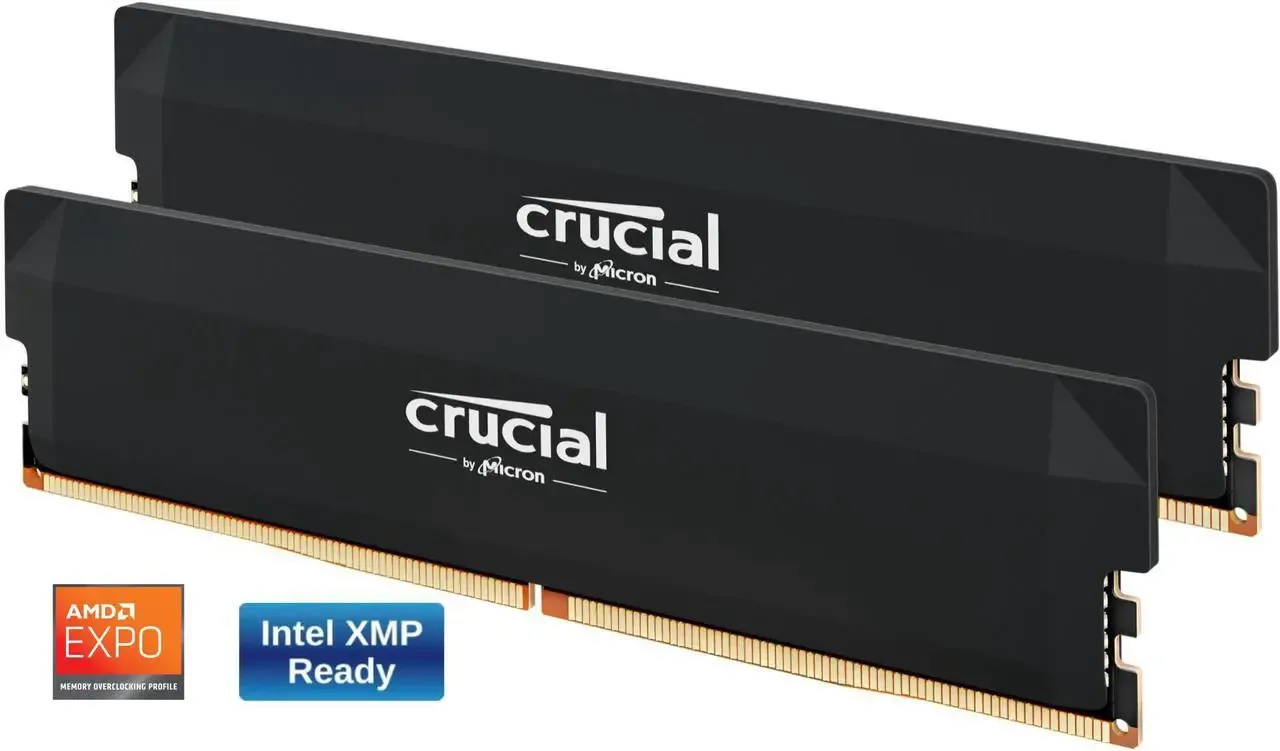
| Spec | 16GB DDR5-6000 kit (2x8GB) | 32GB DDR5-6000 kit (2x16GB), Crucial Pro CP2K16G60C36U5B |
|---|---|---|
| Street price (Sep 2026 shortage pricing) | ~$200 | ~$370–470 |
| Avg FPS, pure gaming, no background apps | Baseline | +0–3% (margin of error in most titles) |
| 1% lows, memory-hungry titles | Baseline | Up to 30–65% smoother |
| Avg FPS with streaming/Discord/background apps running | Baseline | Up to +14% (Corsair real-world testing) |
| Best for | Single-app competitive gaming on a tight budget | Multitasking, streaming, AAA titles, future-proofing |
The two kits, side by side
A year ago this was a $50 decision. In September 2026 it's closer to $170, because a global DRAM shortage — driven largely by AI accelerator demand eating into fab capacity — has pushed DDR5 contract prices up roughly four to five times their pre-shortage floor. A 16GB DDR5-6000 CL36 kit runs about $200 right now; the 32GB equivalent from the same Crucial Pro line, the CP2K16G60C36U5B, runs $370–470 depending on retailer and timing. That's the real comparison: not "which is faster," but "is that specific premium worth paying this specific month."
Check the 32GB kit price → · Check the 16GB kit price →
What the shortage does to the math
Analysts covering the memory market don't expect this to ease soon — most point to constrained supply lasting until new fab capacity ramps in 2027, with elevated pricing persisting into 2028. That changes the calculus for a budget build: waiting for DDR5 to get cheaper isn't a near-term option the way it would have been in 2024. If 32GB is going to matter for a build's lifespan, the shortage argues for buying it now rather than planning a "cheap today, upgrade later" path — later isn't obviously cheaper.
Does 32GB actually move the needle in games?
For pure average FPS with nothing else running, not much. Across recent benchmark passes in titles like Call of Duty: Black Ops 7, Cyberpunk 2077, Fortnite and The Finals, the 16GB and 32GB kits land within 1-3 frames of each other at 1080p — inside margin of error. Black Ops 7 showed one of the larger gaps recorded, and it was still under 10% (166fps → 177fps).
The number that actually matters is 1% lows — the stutters and dips that make a session feel worse even when the average looks fine. In memory-hungry titles, 16GB kits showed 1% lows 30–65% worse than 32GB in the same test passes. That's the difference between a locked, smooth 100fps and a 100fps average that periodically drops to 40 for half a second. Corsair's own real-world testing, which layered in background apps (voice chat, browser tabs, a stream running), found up to a 14% average FPS advantage for 32GB over a 16GB DDR5-4800 baseline — the gap widens as soon as the PC is doing more than just running the game.
Why 1% lows are the number to look at
Most comparisons lead with average frame rate because it is one clean number. It is also the number least connected to whether a game feels good.
1% lows are the frame rate of the worst 1% of frames in a run. If a game averages 100 fps with 1% lows of 90, it feels locked and smooth. The same 100 fps average with 1% lows of 40 feels like it is hitching — because it is, several times a minute, for a fraction of a second each time.
Memory capacity affects the second number far more than the first. When a system runs short of RAM, it does not slow down evenly; it pauses while data is shuffled to and from storage. Those pauses are exactly what the 1% low metric captures and what an average hides. That is why a 16GB kit can post a benchmark result within three frames of a 32GB kit and still feel worse to play.
When you read any memory comparison — including this one — the average is context. The 1% low is the finding.
How to check whether you actually need 32GB
You do not have to take a general recommendation on faith. Fifteen minutes of measurement on your own machine answers it for your own games.
- Open Task Manager → Performance → Memory and leave it visible on a second screen, or use an in-game overlay that reports system RAM.
- Play the way you actually play — with Discord, a browser, and whatever else you normally leave running. Testing with everything closed answers a question you do not have.
- Watch the number over a real session, not a menu screen. Memory use climbs as areas load.
How to read what you see, because Windows makes this confusing:
- "In use" approaching your total is the clear signal. If you are regularly above 85–90%, more memory will help.
- "Cached" being large is normal and good. Windows fills spare memory with cache because idle RAM is wasted RAM. That is not a shortage.
- The number to distrust is "available". It goes down as cache goes up, which looks alarming and usually is not.
If you are sitting at 60% with everything open, 16GB is fine for how you use the machine today.
Buy two sticks, not one
This decides more real performance than the capacity argument does, and it is the mistake we see most often.
Modern platforms run memory in dual channel — two sticks working in parallel. A single 16GB stick runs in single channel and leaves a meaningful amount of performance unused, particularly on systems relying on integrated graphics. Two 8GB sticks cost the same and are simply faster.
So: 2×8GB rather than 1×16GB. 2×16GB rather than 1×32GB. There is no scenario at these capacities where the single-stick configuration is the better buy, unless you are deliberately leaving slots free for a specific upgrade plan — and see the next section for why that plan often disappoints.
What actually goes wrong when you add sticks later
"Buy 16GB now, add 16GB later" sounds efficient. Here is what makes it unreliable:
- Matched kits are tested together. A 2×16GB kit is validated as a pair. Two separate 2×8GB kits, even the same part number bought months apart, were not — and memory chips inside a given model change over a production run.
- The failure is not a refusal to boot. It is usually the system quietly refusing to run the advertised EXPO/XMP speed, or booting fine and producing rare crashes weeks later that are miserable to diagnose.
- Four populated slots is harder on the memory controller than two. Many boards run four sticks at a lower stable speed than two.
None of this makes expansion impossible — plenty of people do it without incident. But treat it as "might work" rather than as a plan, and if a build is intended to last, buying the capacity up front is the lower-risk path.
Capacity, speed, timings — in that order
If the budget forces a choice, this is the priority order for a gaming build:
- Capacity, up to the point where you are not running short. Nothing else compensates for running out.
- Dual channel. Free, and frequently thrown away.
- Speed, up to the sweet spot for your platform — DDR5-6000 on AM5, where the memory controller is designed around it. Beyond that, returns fall off sharply.
- Timings. Real, measurable, and the smallest of the four at this tier. Do not pay a premium for CL30 over CL36 while considering a smaller kit.
Verdict
Check the 32GB kit price → Check the 16GB kit price →
If the build is strictly for competitive gaming with nothing else open — no overlay, no Discord, no browser — the 16GB kit is a defensible way to save $170 in a market where every dollar is stretched further than it was a year ago. The FPS case for 32GB in that narrow scenario is genuinely weak.
For everyone else — anyone who streams, keeps a browser and a voice client open, or plays the kind of AAA titles that keep raising their recommended memory bar — 32GB is the safer buy, and the smoother 1% lows are the part that's actually felt in play, not just measured. Given DDR5 pricing isn't likely to improve before 2027, buying the capacity a build will need in two years, rather than the minimum for today, is the more defensible long-term call.
FAQ
Will 16GB become a real bottleneck soon? Some 2026 AAA releases already recommend 32GB for stutter-free high-texture streaming; 16GB isn't obsolete yet but it's the tier most likely to age poorly over a 2-3 year build lifespan.
Is it worth buying a faster/cheaper 16GB kit and upgrading to 32GB later? Given DDR5 prices are expected to stay elevated into 2027-2028 rather than drop, "buy 16GB now, add more later" doesn't carry the same savings it used to — matched kits from the same batch are also safer for stability than mixing kits bought months apart.
Does kit speed (5600 vs 6000 vs 6400) matter more than capacity? For most current games, going from 32GB slower to 16GB faster is the wrong trade — capacity affects 1% lows and multitasking more than a few hundred MHz affects average FPS.
Sources
- RAM capacity and FPS/1% lows benchmark data (Black Ops 7, Cyberpunk 2077, Fortnite, The Finals, 1080p/1440p) — aggregated from NoobFeed 2026 testing coverage.
- Real-world multitasking FPS impact (streaming/background apps) — Corsair benchmark data, 32GB DDR5 vs 16GB DDR5-4800.
- 2026 DDR5 pricing and shortage context (per-GB cost, 16GB vs 32GB street price gap, supply outlook into 2027-2028) — Tom's Hardware RAM price index and Newegg Insider DDR5 buying guide, both 2026.
- Product reference — Crucial Pro DDR5-6000 32GB Kit (CP2K16G60C36U5B), crucial.com product listing.
Skip it if you only game with nothing else open and the budget is genuinely tight — the FPS gap is inside the margin of error. Pay the premium if you stream, alt-tab constantly, or want the 1% lows that keep a session from feeling janky; that's where the extra 16GB earns its price in 2026's inflated market.
Wins on
- 32GB wins on 1% lows — up to 30–65% smoother in memory-hungry titles
- 32GB wins on multitasking — up to +14% average FPS with background apps running (Corsair testing)
- 32GB is the safer buy against 2026-2027 game memory requirements creeping up
Trade-offs
- 16GB wins on price — the gap has grown to $170+ during the 2026 DRAM shortage
- 16GB wins for pure single-app gaming — average FPS difference is within 1-3 frames in most titles tested
- Neither kit wins on availability — DDR5 pricing is expected to stay elevated into 2027-2028