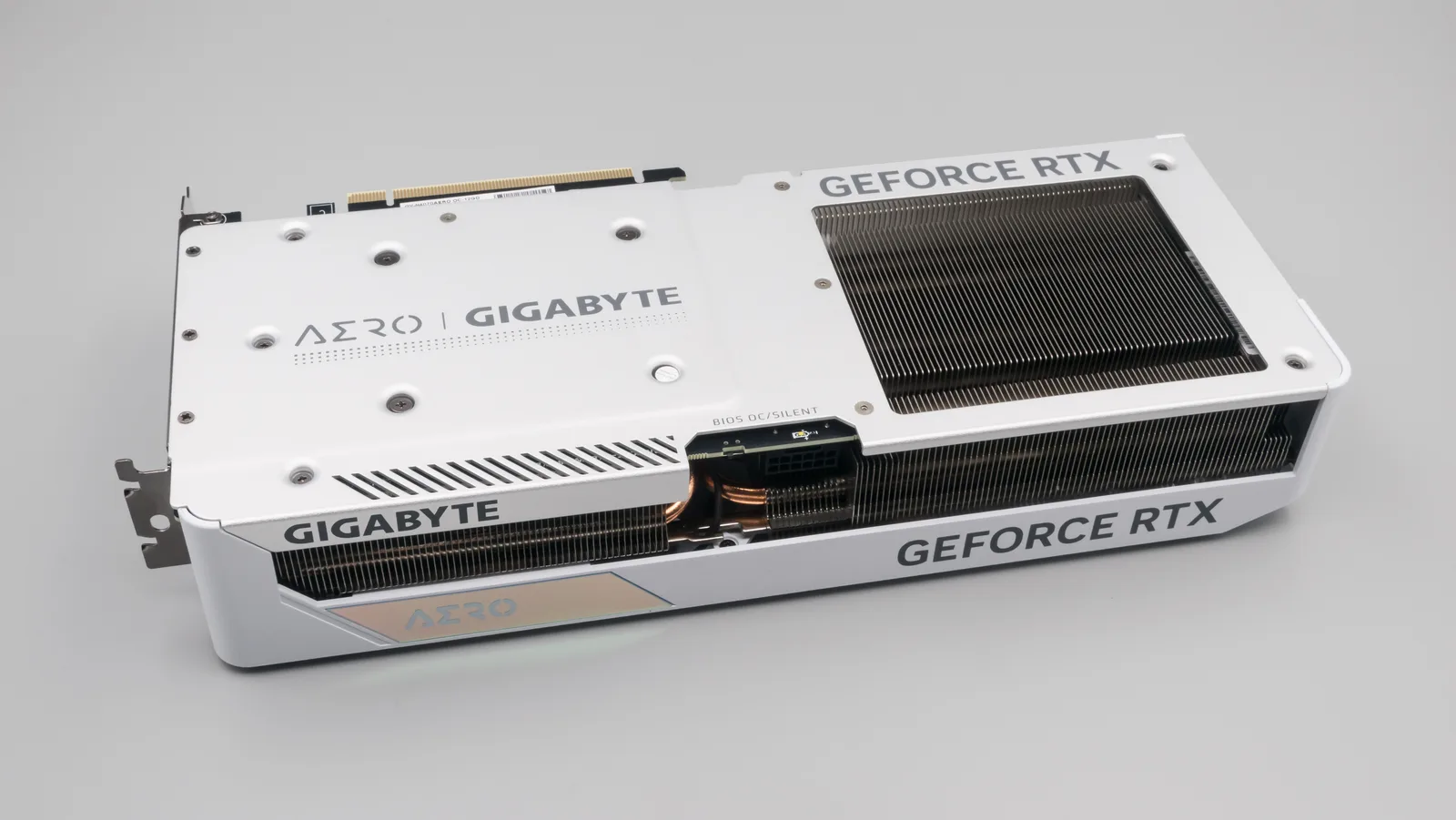
A genuinely no-compromise 1440p build for modern AAA titles and competitive games alike — but the 2026 DRAM/NAND price spike means the real total lands closer to $1,450–1,500 than a strict $1,200, unless you're willing to trim RAM.
| Component | Model | Price | Why it’s here |
|---|---|---|---|
| GPU | GeForce RTX 4070 12GB | ~$480 | The clearest step up from budget 1080p cards for 1440p high/ultra, DLSS 3 Frame Gen included |
| CPU | Ryzen 5 7600 | ~$210 | 6C/12T, no bottleneck for this GPU tier at 1440p |
| Motherboard | B650 ATX | ~$140 | AM5 platform headroom, enough VRM for a future CPU upgrade |
| RAM | 32GB DDR5-6000 | ~$400 | Priced well above 2025 levels due to the 2026 memory shortage — still the safer call than 16GB |
| Storage | 1TB NVMe Gen4 | ~$130 | NAND pricing has also risen in 2026; 1TB remains the practical minimum for 4-5 modern titles |
| PSU | 650W 80+ Bronze | ~$70 | Comfortable headroom for the RTX 4070's power draw plus a future upgrade |
| Case + fans | Mid-tower, 3 fans incl. | ~$65 | Airflow-first, keeps the 4070 cool under sustained load |
Build overview
This build targets the buyer stepping up from 1080p who wants 1440p high-to-ultra settings without jumping to a $2,000+ rig. The RTX 4070's 12GB of VRAM and DLSS 3 Frame Generation give it real legs at this resolution in both demanding single-player games like Cyberpunk 2077 and Baldur's Gate 3, and in competitive titles where triple-digit frame rates matter more than eye candy.
The honest caveat, and the reason this guide exists rather than just a parts list: 2026 has been a rough year for DDR5 and NAND pricing. A 32GB DDR5-6000 kit that cost roughly $150–180 in late 2024 now runs close to $400, depending on the retailer and week. NVMe storage has moved in the same direction, if less dramatically. That's why a build that would have comfortably hit $1,200 a year or two ago now lands closer to $1,450–1,500 with the same components. We're not padding the number — we're showing the real one.
Parts list & price breakdown
Component order below follows spend priority — where the budget should go first if you need to trim.
| Component | Model | Price | Why it's here |
|---|---|---|---|
| GPU | RTX 4070 12GB | ~$480 | Best step up to 1440p high/ultra, DLSS 3 Frame Gen |
| CPU | Ryzen 5 7600 | ~$210 | 6C/12T, no bottleneck at this GPU tier |
| Motherboard | B650 ATX | ~$140 | AM5 platform, room for a future CPU swap |
| RAM | 32GB DDR5-6000 | ~$400 | Priced up sharply in 2026 — still worth it over 16GB |
| Storage | 1TB NVMe Gen4 | ~$130 | NAND pricing has also risen this year |
| PSU | 650W 80+ Bronze | ~$70 | Headroom for the 4070 plus a future GPU upgrade |
| Case + fans | Mid-tower, 3 fans incl. | ~$65 | Airflow-first, keeps the 4070 quiet under load |
Tight budget? Dropping to a 16GB DDR5-6000 kit (~$220) saves roughly $180, landing the total closer to $1,315 — still above the original $1,200 target, but the closest realistic path to it given 2026 DRAM pricing. It's a real trade-off, not a free lunch: 16GB is workable today but has less headroom against upcoming AAA titles that increasingly recommend 32GB.
Expected performance
Figures below are aggregated from published RTX 4070 benchmark data at 1440p — not measured on this exact rig, and DLSS/Frame Generation settings shift the picture significantly.
| Game | Settings | Avg FPS | Notes |
|---|---|---|---|
| Cyberpunk 2077 | High, no ray tracing | ~90–98 | Native, no upscaling |
| Cyberpunk 2077 | RT High, DLSS Quality | ~75–100 | Frame Generation closes most of the RT gap |
| Baldur's Gate 3 | Ultra, DLSS Quality | ~90–120 | Act 3 city areas sit at the low end of this range |
| Valorant | High, no upscaling | 300+ | GPU has huge headroom in lightweight competitive titles |
The line item this build assumes you already have
A 1440p build in front of a 1080p monitor is a 1080p build that cost more. The panel is not in the parts list above because most people stepping up already own one — but if you do not, it is the first thing to budget for, ahead of any component upgrade on this list.
What actually matters when you pick one, in order:
- Resolution and size together. 1440p on a 27-inch panel is the sweet spot this build targets. 1440p on 24 inches is sharp but wastes the resolution; 1440p on 32 inches starts to look coarse at desk distance.
- Refresh rate you can actually feed. This build holds triple digits at 1440p in most titles, so a 144Hz or 165Hz panel is matched. Paying for 240Hz at 1440p buys headroom this GPU will not reach in demanding games.
- Panel type. IPS for colour and viewing angles, VA for contrast, OLED if the budget genuinely allows. For mixed gaming, IPS is the safe default.
- Adaptive sync. Any modern panel supporting VRR removes tearing without the input lag cost of V-Sync. Treat it as required, not a bonus.
Everything else on a monitor spec sheet is secondary to those four.
Where to trim, in the order we would trim
Budgets move. If this total is above yours, cut in this sequence — each step costs you the least for the money saved:
- 32GB → 16GB RAM. The single biggest saving available, and the one covered above. Workable today, tighter in two years.
- Case. Drop to a cheaper airflow-focused case and add fans separately if needed. Do not drop to a sealed case with one exhaust fan to save twenty dollars — you will pay for it in GPU noise.
- Storage capacity, not storage quality. A smaller drive from a reputable line beats a larger DRAM-less one. You can add a second drive later; you cannot easily fix a slow one.
- CPU, one step. The next tier down still does not bottleneck this GPU at 1440p. This is a smaller saving than it looks once the platform cost is counted.
What we would not trim: the power supply, and the GPU. The PSU because it is the component whose failure takes others with it, and the GPU because it is the entire point of the build.
What we left out, and why
- An AIO liquid cooler. The Ryzen 5 in this build does not need one. A good air cooler is quieter under sustained load than a cheap AIO and has no pump to fail.
- Wi-Fi. Many B650 boards include it; if yours does not and you need it, a PCIe card or USB adapter is cheaper than stepping up a motherboard tier for the feature alone.
- RGB anything. No performance argument exists. Buy it because you want it, from the cosmetics budget, not the parts budget.
- A larger PSU. 650W has real headroom for this configuration and one generational GPU upgrade. Buying 850W today for a card you might own in three years is paying now for a discount you will not remember.
Who should not build this
An honest build guide names its wrong buyer.
- If you play mainly competitive shooters at 1080p, this is the wrong shape. Frame rate and a high-refresh panel matter more than 1440p fidelity — our $500 esports build is built around that priority instead.
- If your budget is genuinely fixed at $1,200 this month, do not force it by cutting the GPU. Either take the 16GB path above, or wait. A 1440p build with a compromised GPU is the one configuration that satisfies nobody.
- If you already own a capable 1080p rig and are upgrading for one specific game, price a GPU-only upgrade first. It is frequently the whole answer — see the budget GPU rankings.
Upgrade path
The 650W PSU and airflow-first case leave room to drop in a higher-tier GPU later (up to roughly an RTX 4080-class card) without touching anything else. The B650 motherboard keeps the CPU upgrade path open within the AM5 socket, so a future Ryzen refresh doesn't require a full rebuild.
FAQ
Is 12GB of VRAM enough for 1440p in 2026? Yes, for high settings in the large majority of current titles. It becomes a limiting factor only in a handful of texture-heavy AAA releases pushed to max settings with heavy mods.
Why not just drop to 16GB RAM and get closer to $1,200? You can — see the tight-budget note above, though even then 2026 pricing keeps the total above $1,300. We default to 32GB because several 2026 AAA releases are starting to recommend it for stutter-free texture streaming, and RAM is one of the more annoying components to upgrade later on a build you're trying to keep long-term.
Will GPU or RAM prices come back down? Pricing on both has been volatile through 2026 due to broader memory-chip supply pressure. Treat every price in this guide as a same-week snapshot — always re-check current listings before ordering.
Sources
- Component pricing — aggregated from Newegg, Best Buy, Amazon and Walmart listings, and Tom's Hardware DDR5 pricing coverage, Sep 2026
- GPU/CPU specs — Nvidia and AMD official product pages
- In-game FPS figures — aggregated from published third-party RTX 4070 benchmark suites (MSI, TechPowerUp-adjacent sources), not tested by RigCrate on this exact configuration
Strengths
- Comfortable 1440p high/ultra in modern AAA titles, not just esports
- DLSS 3 Frame Generation gives real ray-tracing headroom
- 32GB RAM avoids the memory bottleneck several 2026 releases are starting to hit
- 650W PSU and airflow case leave room for a higher-tier GPU later
Weaknesses
- The 2026 DDR5/NAND price spike pushed this past a strict $1,200 target
- 12GB VRAM is adequate, not generous, for max-texture modding past 2027
- No headroom above roughly 100fps in the heaviest ray-traced AAA titles