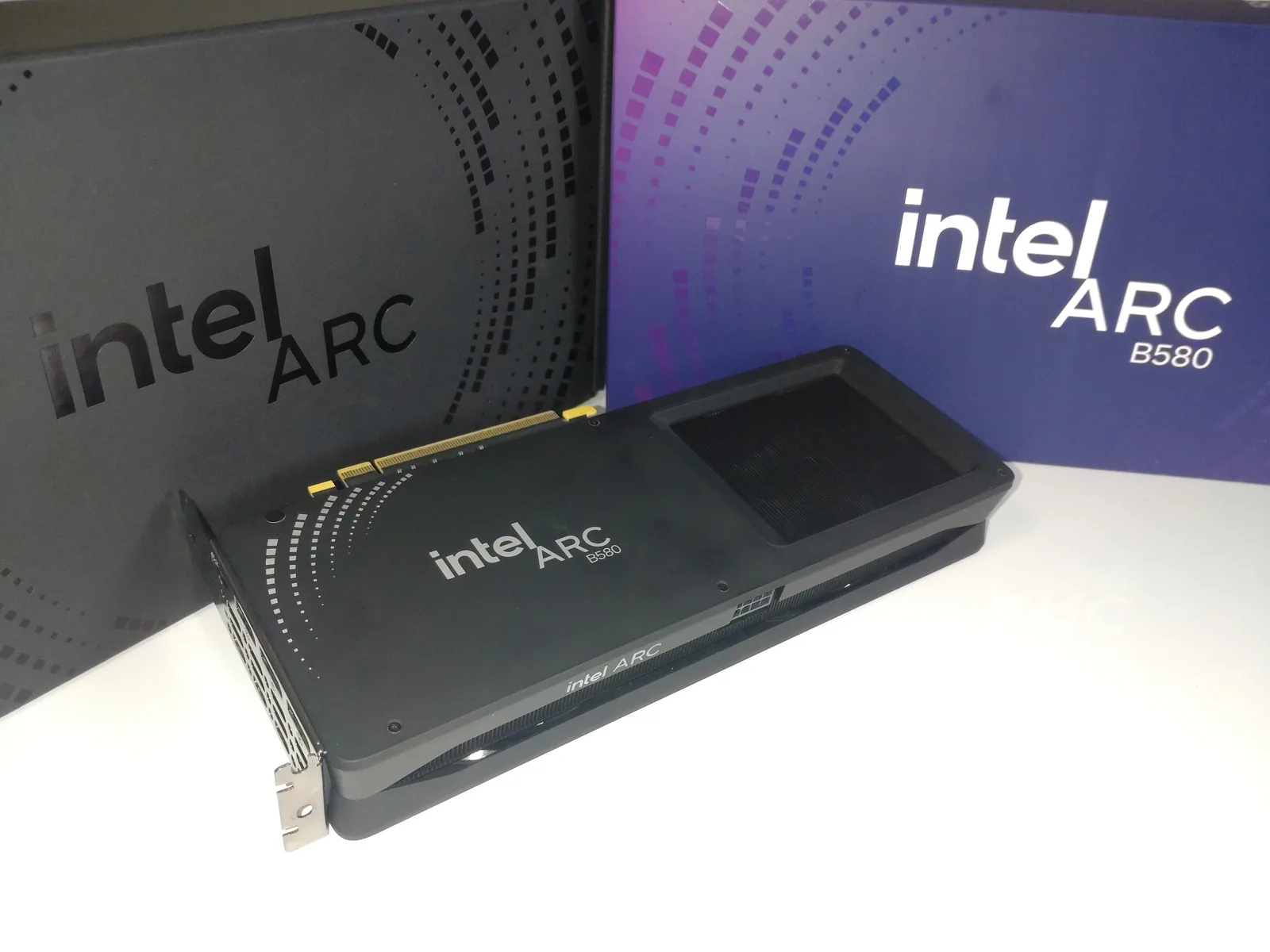
- SIntel Arc B580 12GBOnly card under $320 with 12GB of VRAM, beats the RTX 4060 and RX 7600 in several rasterization benchmarks — the driver rough edges in a handful of older titles are the only reason it's not an easy universal pick.
- ARTX 4060 8GBThe safest all-rounder: DLSS 3 Frame Generation, lowest power draw of the group, best ray tracing at this price — but 40-series is end-of-production, so check listing condition before buying.
- BRX 7600 XT 16GB16GB of VRAM is real long-term insurance for texture-heavy titles past 2027, at the cost of 75W more heat and noise than the RTX 4060 and no Frame Generation equivalent.
- BRX 7600 8GBThe floor of this bracket at ~$270 — no major compromise for a straightforward 1080p build, just don't expect 1440p headroom or DLSS-class upscaling.
- CRTX 3050 8GBCheapest current-gen Nvidia card with DLSS support — fine for esports titles at 1080p, but there's no reason to buy it over an RX 7600 unless it's on a steep sale.
- CRTX 4060 Ti 16GBDecent card, bad timing: 2026's memory shortage has pushed the 16GB model as high as $430–550, more than a 4060 and an SSD combined for a modest performance gain — skip until pricing normalizes.
How this list is built
This ranking covers cards street-priced under roughly $450 as of September 2026, judged on price-to-performance at 1080p/1440p rather than launch-day spec sheets. Every price below is a snapshot — GPU pricing moves weekly, and 2026's ongoing memory shortage (the same DRAM/NAND squeeze covered in our DDR5 pricing update and Gen5 SSD piece) has hit VRAM-heavy cards like the RTX 4060 Ti disproportionately hard. Always check the current listing before buying, not the number in this table.
| GPU | Tier | Street price | Why |
|---|---|---|---|
| Intel Arc B580 12GB | S | ~$249–299 | Best VRAM-per-dollar under $300, beats 4060/7600 in several benchmarks |
| RTX 4060 8GB | A | ~$290–340 | Safest all-rounder — DLSS 3, lowest power draw, best ray tracing here |
| RX 7600 XT 16GB | B | ~$289–329 | 16GB VRAM insurance, but 75W hotter with no Frame Gen equivalent |
| RX 7600 8GB | B | ~$269–280 | Cheapest clean 1080p pick, no major compromise at this price floor |
| RTX 3050 8GB | C | ~$250–260 | Fine for esports-only builds, outclassed by RX 7600 at a similar price |
| RTX 4060 Ti 16GB | C | ~$430–550 | Good card, terrible value right now — memory-crisis pricing kills it |
Check Arc B580 price on Amazon →
The S-tier surprise
Six months ago this list would have opened with the RTX 4060. It's still an excellent card — see our full RTX 4060 vs RX 7600 XT comparison — but the Arc B580 has quietly become the sharper buy under $300. Intel is the only vendor offering 12GB of VRAM below $320, and independent testing has it beating both the 4060 and RX 7600 on raw rasterization in several titles, while XeSS 2 with Frame Generation closes most of the upscaling gap with DLSS 3. The catch is driver maturity: Arc has improved dramatically since its rocky 2022 launch, but a handful of older, less-optimized titles still show rough edges. If your library skews modern, that's a non-issue. If you regularly go back to a specific 2015-era game, test it before committing.
Check RTX 4060 price on Amazon → · Check RX 7600 XT price on Amazon →
Why the RTX 4060 Ti dropped to C
On specs alone, the 16GB RTX 4060 Ti belongs closer to the top of this list — more VRAM than the plain 4060, similar core performance to the RX 7600 XT. What sinks it is price: 2026's DRAM/NAND shortage has pushed the 16GB variant as high as $430–550 at several retailers, more than the price of a base RTX 4060 and a 1TB NVMe drive combined, for a card that doesn't outperform either card above it by enough to justify the gap. It's not a bad GPU — it's just a bad deal until memory pricing cools off. Worth revisiting once it does.
Check RX 7600 price on Amazon → · Check RTX 3050 price on Amazon →
What the tiers actually mean
Tier letters are worthless unless they encode something. Here is what ours encode, so you can disagree with the method rather than just the result.
- S — the card we would buy at this price without hesitating, and the one we would recommend to someone who asked once and did not want a follow-up conversation.
- A — excellent, with one specific caveat a buyer needs to know before ordering.
- B — genuinely good, but beaten on value by something above it for most people. A B-tier card is a right answer for a particular buyer, not the default.
- C — not a bad product. A bad deal, usually because of price rather than silicon. C-tier cards frequently move up when pricing changes.
- D — would not buy at any price currently seen. No card in this bracket sits there this month.
Two things deliberately do not move a card up: launch-day review scores, and features that only matter above this price bracket. A ray-tracing advantage you will switch off to hold 60 fps is not an advantage.
The VRAM question, settled
More than any other spec, VRAM capacity is what decides how one of these cards feels in two years. It is also the spec most often argued about badly, so here is the practical version.
Running out of VRAM does not make a game slower in the smooth way a weaker GPU does. It makes it stutter — textures pop in late, frame times spike, and the average frame rate can still look fine on a benchmark chart while the game feels broken. That is why a card with more memory and slightly less raw speed often ages better than the reverse.
What that means per capacity, at the resolutions these cards target:
- 8GB — fine for 1080p in the large majority of titles today, with texture settings adjusted in the most demanding ones. It is the capacity you will hit first, and it is increasingly the constraint rather than the core.
- 12GB — the comfortable floor for 1080p with everything turned up, and workable at 1440p with upscaling. This is why the Arc B580 sits at S despite Intel's driver history.
- 16GB — genuine headroom, and the right pick if you play heavily modded games or run large texture packs. For most buyers at 1080p it is insurance rather than performance you will feel today.
If you are choosing between two cards within about 10% of each other on raw speed, take the one with more memory. That single rule resolves most of the arguments in this bracket.
What each card actually needs around it
A GPU recommendation is incomplete without the rest of the box. None of these cards are demanding, but two mistakes recur:
Power supply. Every card here runs comfortably on a good 550–650W unit; the RX 7600 XT draws roughly 75W more than the RTX 4060, which matters for heat and noise more than for wattage headroom. Buy from a reputable brand with a real warranty rather than chasing an efficiency badge — see our PC building deals roundup for the bracket we recommend.
CPU. At 1080p a weak CPU will hold back any of these cards before the GPU becomes the limit. The Ryzen 5 and Core i5 class covered in our CPU comparison is the right pairing; spending more on the CPU than that, at this GPU tier, buys you very little.
Case airflow. The RX 7600 XT in particular rewards a case with real intake fans. A card that thermally throttles in a sealed box performs below its tier regardless of what this table says.
What we ignored on purpose
An honest ranking should say what it excluded from the judgement:
- Synthetic benchmark scores taken alone. They are useful for comparing architectures, not for predicting how a game feels.
- Launch MSRP. Several of these cards have not sold at their announced price for a long time. We rank on street price.
- Ray-tracing performance as a tiebreaker. Below $350, ray tracing is a setting you enable for screenshots, not one you play with.
- Partner-model cooler differences. Real, but they vary within a single model by more than they vary between models at this tier.
Quick answers
Is Intel Arc safe to buy now? Far safer than at launch. Driver maturity is no longer the dealbreaker it was, and the B580's VRAM-per-dollar is the best in this bracket. The caveat is specific older titles, not the platform in general — if one particular 2015-era game is the reason you are buying, check it first.
Does Frame Generation compensate for less VRAM? No. They solve unrelated problems. Frame Generation raises perceived smoothness; VRAM decides whether textures load at all. A card that runs out of memory stutters regardless of upscaling.
Should I buy used to get a tier higher? Sometimes — memory and GPUs are among the safer used purchases. But a used card at less than 20–25% under new pricing is not a bargain once you account for the missing warranty, and GPU warranties generally do not transfer.
Will these rankings change soon? The order is stable; the prices are not. The RTX 4060 Ti is the clearest candidate to move up, and it will move on pricing rather than on performance.
Which one to actually buy
- Best overall under $300 — Intel Arc B580, unless your library leans on a handful of older titles with rough driver support.
- Safest, most compatible pick — RTX 4060, especially if DLSS 3 Frame Generation or ray tracing matter to you specifically.
- Tightest possible budget — RX 7600 8GB. No asterisks, no compromises at the price.
- Skip for now — RTX 4060 Ti 16GB, until 2026's memory pricing settles back down.
See our full parts lists built around these cards: the RTX 4060 budget build and the $500 esports build.
Sources
- Pricing and specifications — Tom's Hardware GPU price index, VideoCardz, NVIDIA Newsroom, PC Guide
- Intel Arc B580 review data — How-To Geek, BlueScreenBuilds
- RTX 4060 Ti pricing — VideoCardz, Pangoly and Best Value GPU price trackers (September 2026)
- Internal cross-references — RigCrate's own GPU comparison and budget build articles, kept price-consistent with this list