| Item | Price | Why it matters |
|---|---|---|
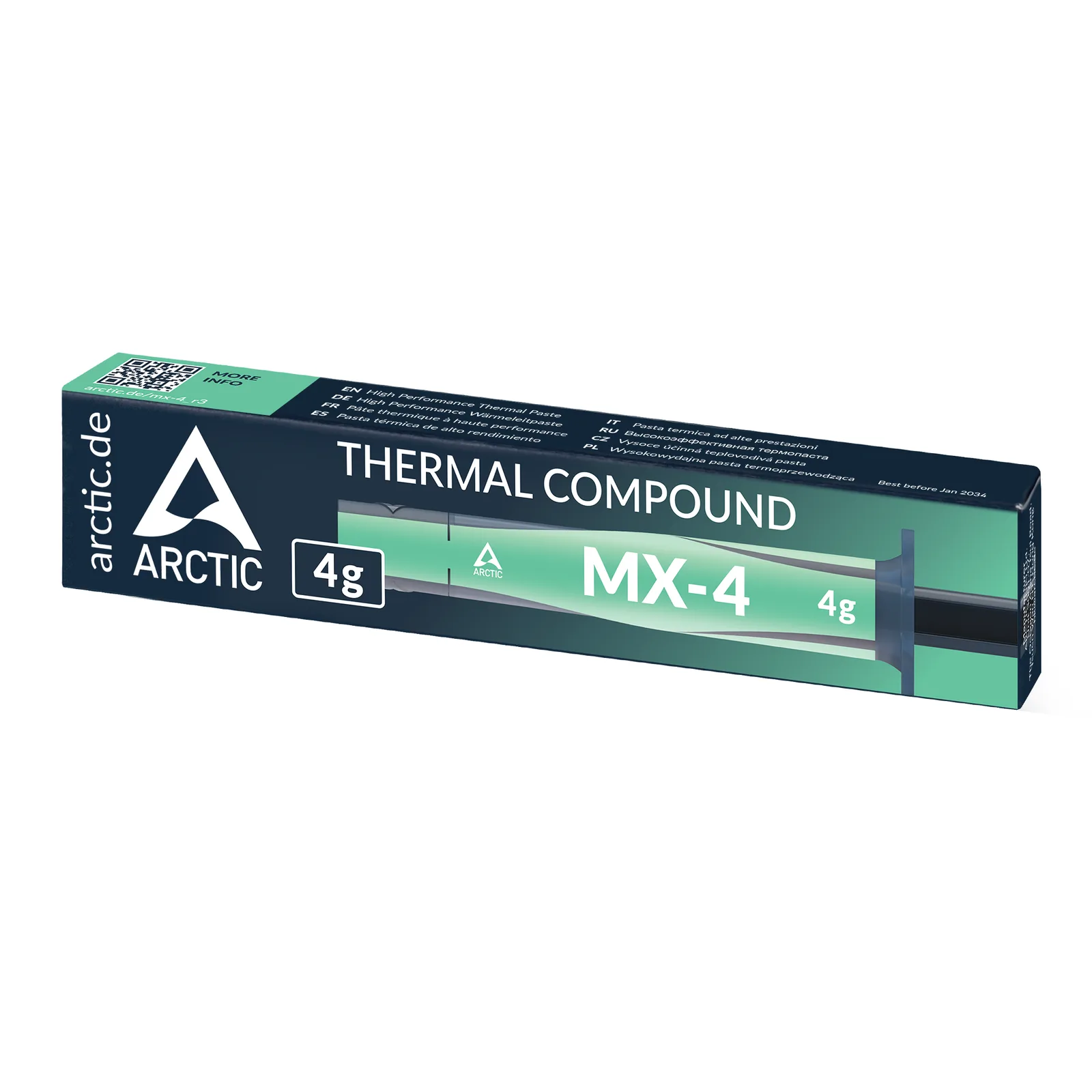
| Quality thermal paste | $8–15 | The paste pre-applied on a boxed cooler is usually mediocre and dries out faster than a dedicated compound. A $10 tube of a well-reviewed non-conductive paste can drop CPU temps a few degrees for the cheapest upgrade in the entire build. |
| Magnetic precision screwdriver kit | $12–20 | Motherboard standoffs, M.2 heatsink screws, and case panel screws come in several tiny sizes that a household screwdriver set doesn't cover. A magnetic tip also means a dropped screw doesn't fall straight into the PSU shroud. |
| Anti-static wrist strap | $7–12 | Static discharge damage to a motherboard or GPU is rare but not rare enough to gamble on — a $10 strap clipped to a grounded case panel is cheap insurance on components that cost 20–50x more. |
| Reusable velcro cable ties | $6–10 | Zip ties work once; velcro straps let you redo cable routing when a GPU upgrade or a new drive changes the layout. Clean routing isn't just cosmetic — bundled cables blocking a fan can measurably raise case temps. |
| Small flush wire cutters | $8–15 | For trimming zip ties flush against a cable bundle instead of leaving sharp plastic stubs that snag on hands during the next upgrade — a small thing that makes a build look and feel finished. |
| LED headlamp or hands-free flashlight | $10–18 | Cases are dark under the GPU shroud and behind the motherboard tray, and a phone flashlight eats a hand you need for the screwdriver. A cheap headlamp is the difference between finding a stray screw in ten seconds or ten minutes. |
| Spare standoff and screw kit | $8–12 | Motherboard and case boxes rarely include spares, and a single missing standoff or stripped case screw shouldn't stall an otherwise finished build. A small assorted kit covers most ATX/mATX/ITX cases. |
| Basic digital multimeter | $15–25 | Optional, but the fastest way to confirm whether a no-post issue is a dead PSU, a loose 24-pin connection, or something else — instead of swapping parts one at a time to guess. Not needed for a first build, worth owning by the second. |
The build isn't done when the parts list is
Every build guide on this site — the RTX 4060 budget build, the $1,200 1440p build, the $500 esports build — covers the components that make a PC run. None of them cover the small tools that make the assembly go smoothly, and skipping them is exactly how a clean afternoon build turns into a stripped screw, a dropped standoff lost inside the case, or worse, a static discharge that damages a $300 GPU.
None of these are expensive. Combined, the full list below runs under $100 — less than a single RAM kit at 2026 pricing — and most of it gets reused on every future build or upgrade, not just this one.
The essentials
Thermal paste. The compound pre-applied to a boxed cooler is functional but rarely great, and it degrades over a few years. A dedicated tube of a well-reviewed non-conductive paste is the single cheapest performance upgrade available on any build — a few degrees off CPU temps for the price of a coffee.
A real screwdriver kit. Motherboard standoffs, M.2 heatsink screws, and case panel screws are smaller and more varied than a household toolbox usually covers. A magnetic-tip precision kit prevents two common failures at once: stripped screw heads from using the wrong bit, and a dropped screw disappearing into the PSU shroud.
An anti-static wrist strap. ESD damage to a motherboard or GPU is uncommon, but when it happens it's expensive and often invisible until the system won't post. Clipping a $10 strap to a grounded case panel removes the risk entirely for less than the cost of a single case fan.
The quality-of-life buys
Reusable velcro cable ties beat zip ties for anyone who expects to upgrade a GPU or add a drive later — the routing can be redone instead of cut and replaced. Clean cable management also isn't purely cosmetic: cables bundled in front of an intake fan can measurably raise internal temps.
Flush wire cutters matter more than they sound like they should — trimming zip ties flush instead of leaving sharp plastic stubs is the difference between a build that feels finished and one that snags on your hand every time you reach into the case.
A headlamp or hands-free flashlight solves the single most common annoyance of a first build: cases are dark under the GPU and behind the motherboard tray, and a phone flashlight consumes the one free hand a builder needs for the screwdriver.
A spare standoff and screw kit exists for one specific failure mode: a single missing standoff or one stripped case screw shouldn't be the reason a build stalls for a day waiting on a hardware store trip.
Optional but worth owning by the second build
A basic digital multimeter isn't necessary for a first assembly, but it's the fastest way to diagnose a no-post issue later — confirming whether a PSU is actually dead or a 24-pin connector is just seated loosely, instead of swapping parts one at a time to guess. Once a second or third build is on the horizon, it earns its spot in the toolbox.
When you actually reach for each one
Tool lists are easier to act on when they follow the build rather than a category. Here is the order things get used on a normal afternoon assembly.
- Before anything comes out of a box — clip on the anti-static strap. It is useless in the drawer, and this is the only moment you will remember.
- Motherboard prep, out of the case — precision screwdriver for the M.2 heatsink screws. These are the smallest fasteners in the whole build and the easiest to strip with a too-large bit.
- Standoffs into the case — the spare kit earns its place here, because this is where a missing one is discovered. Count them against the motherboard's mounting holes before you lower the board in.
- Cooler mount — thermal paste. Apply, seat, and do not lift the cooler back off to check: breaking the seal means cleaning both surfaces and starting again.
- Cable routing — velcro straps, then flush cutters for any zip ties you did use. Headlamp on for everything behind the motherboard tray.
- First boot — if it does not post, this is where a multimeter turns guesswork into a five-minute check.
The sequence matters more than the shopping list. Most first-build frustration comes from needing a tool at a step where the case is already half-closed.
What these actually prevent
Concretely, rather than in the abstract:
- A stripped M.2 screw means the drive cannot be removed without drilling. A $12 precision kit prevents a repair that costs a motherboard.
- A standoff in the wrong hole shorts the motherboard against the case tray. This is the classic dead-on-arrival build, and it is invisible once the board is installed.
- A dropped screw in the PSU shroud either gets fished out or stays in the case. One of those options is a short circuit waiting for vibration.
- Cables bundled across an intake fan raise case temperatures for zero benefit — the one item on this list that changes thermals rather than just convenience.
What we deliberately left off
A list that recommends everything is a shopping cart, not advice. Things commonly sold as build essentials that we do not think you need:
- Thermal pads sold as upgrades. For a new build, the pads shipped with the hardware are correct. Replacing them is a repair procedure, not an assembly step.
- Compressed air cans. Useful for maintenance in a year, not for putting parts in a clean case today.
- Anti-static mats. The strap covers the realistic risk. A full mat is lab equipment for someone building one PC.
- Cable extension kits and sleeved cables. Purely cosmetic. Nothing wrong with wanting them, but they belong in a different budget line than "essentials".
- Branded toolkits at three times the price. The bits either fit or they do not. A $15 kit and a $60 kit do the same job on the same screws.
If you can only buy three
Genuine first build, tight budget, want the shortest useful list:
- Precision screwdriver kit — the only item here you genuinely cannot substitute.
- Thermal paste — if your cooler ships with paste pre-applied you can skip it for now, but you will want it at your next cooler change.
- Velcro ties — the cheapest item that improves both the look and the thermals of the finished machine.
The anti-static strap is the fourth, and the one we would add back first. Everything else is comfort.
Quick answers
Do I really need an anti-static strap, or is touching the case enough? Touching a grounded metal part regularly does work, and plenty of experienced builders do exactly that. The problem is that it relies on you remembering every single time, including when you stand up, walk across a carpet, and come back. The strap removes the need to remember.
How much thermal paste? A pea-sized amount in the centre for most consumer CPUs. Spreading it manually is unnecessary — mounting pressure does that. More paste is not better; excess squeezes out and insulates rather than conducts.
Can I reuse thermal paste if I take the cooler off? No. Once the seal is broken, clean both surfaces with isopropyl alcohol and apply fresh. This is precisely why a tube is worth having on hand rather than relying on the pre-applied layer.
Is a magnetic screwdriver safe around components? Yes. The magnetism in a screwdriver tip is far too weak to affect drives or boards, and modern storage is not magnetic media anyway. The myth long outlived the hardware it applied to.
Bottom line
None of this changes frame rates or benchmark scores, and none of it belongs on a parts-list spreadsheet next to a GPU or CPU. But a first build with the right $10-15 accessories on hand goes noticeably smoother than one without — fewer stripped screws, fewer dropped parts lost in the case, and closer to zero risk of static damage to components that cost a hundred times more than the tools protecting them.
Sources
- General PC-building tool guidance cross-checked against manufacturer and retailer build guides (Corsair, B&H Photo, Tom's Hardware) — links not attributed to a single source, standard industry-consensus advice rather than a proprietary claim.